

Every review of the JZCreater USB desk fan you'll find says roughly the same three things. It's cheap, it moves air, buy it. All true, and none of it is wrong exactly, but none of it tells you what actually happens once the thing has been running on your desk for a few months. I've had one going almost every workday since I set up my current desk, and there's a handful of things about this fan that never show up in the five star reviews or the product photos, because most people write their review the week they unbox it, not months later when the honeymoon period is over.
This isn't going to be another version of the same glowing writeup. I still use the fan, I still think it's a smart nine dollar purchase for the right desk setup, but there are real tradeoffs nobody mentions before you click buy, and I'd rather you know them going in than discover them the way I did.
The Quick Verdict
Good for the price, but the wobble, the dust, and the mid-range hum are real limitations most reviews skip over entirely.
Amazon Check Today's Price →Before you buy the fan everyone recommends, here's what the reviews leave out
The JZCreater is a solid pick for personal desk cooling, but only if you know about the stability issue and the noise on higher speeds going in. No surprises, no regrets.
Amazon Check Today's Price on Amazon →How I Tested It Beyond the First Week
Most reviews you read are written within days of the product arriving, back when everything still feels new and nothing has had time to reveal a flaw. I wanted this one to be different, so I didn't write a word about this fan until I'd used it long enough to actually notice the small stuff. That meant paying attention to things like how it behaves when the desk gets bumped, whether the noise changes as it ages, how much dust actually builds up inside the grille, and whether the specs on the listing hold up once you're not just testing it for a review but actually relying on it every day.
I also spent time comparing what the product description promises against what I actually experienced, because there's a gap between marketing language like quiet operation and strong airflow and what those words mean once the fan is sitting eighteen inches from your face for eight hours a day. Some of the gap is minor. Some of it is worth knowing before you spend even nine dollars.
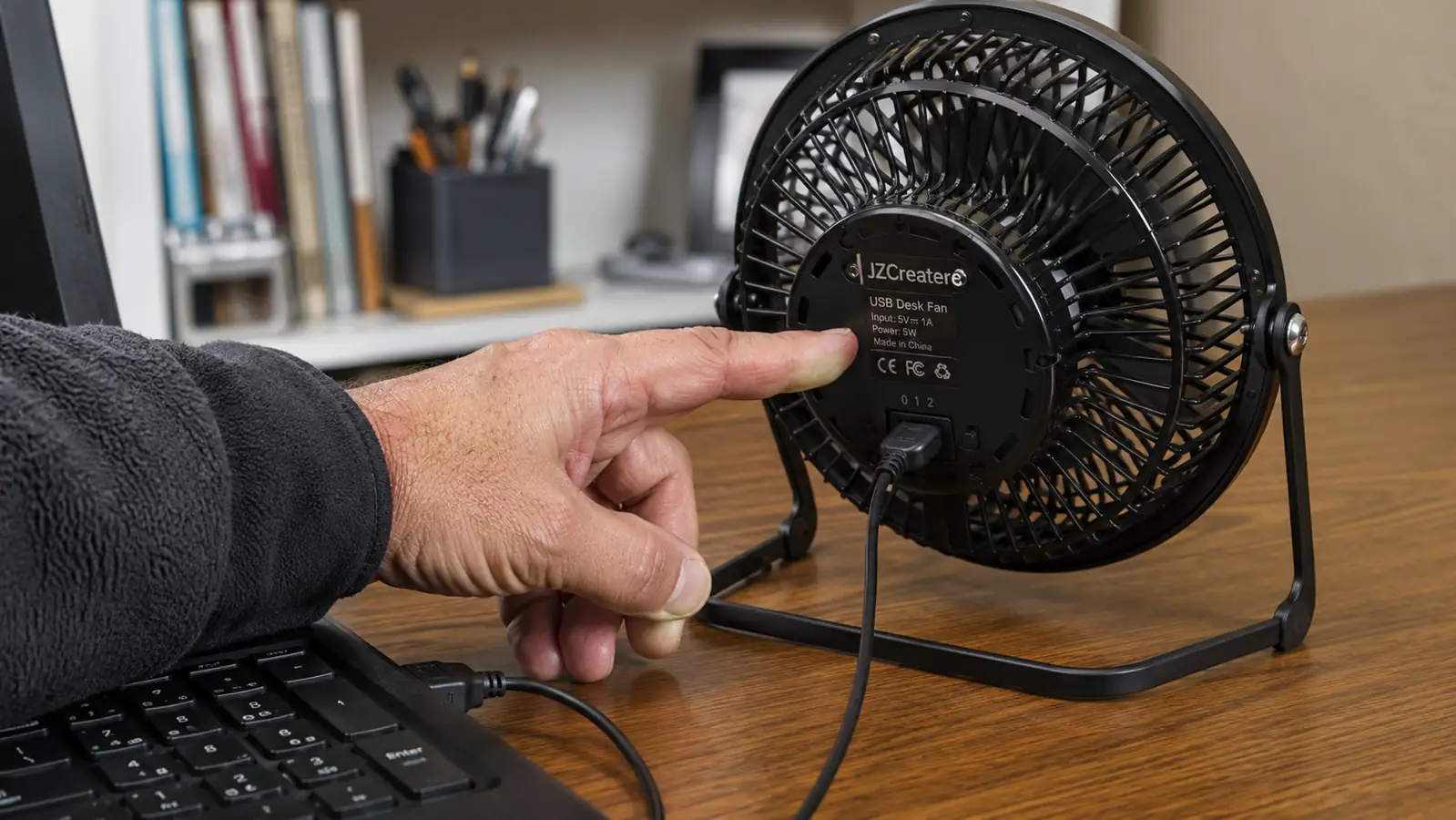
The Wobble Problem Nobody Mentions
Here's the first thing that surprised me and that I never saw flagged in any review before I bought it. This fan is light. That's a feature when you're thinking about USB power draw and portability, but it's also the reason mine has tipped over more times than I can count. The base isn't weighted the way a proper desktop fan's base is, and the moment the head is tilted up at an angle and the cable gets even a little tension on it, the whole thing can topple sideways. It's happened to me while reaching for a coffee mug, while rolling my chair back too fast, and once when my dog brushed past the desk leg and the vibration alone was enough to knock it over.
None of these tip overs damaged anything, the plastic housing is sturdy enough to survive a fall onto a desk or even a carpeted floor without cracking. But it's a genuine annoyance that nobody puts in a star rating. If you've got a cluttered desk, cats, kids, or a habit of gesturing with your hands while you're on calls, budget for this happening. I eventually solved it with a strip of reusable mounting putty under the base, which keeps it planted even at a steep upward tilt, but that's a fix I had to figure out myself. It's not in the instructions and it's not mentioned anywhere in the listing.
The Speed Setting Nobody Actually Uses
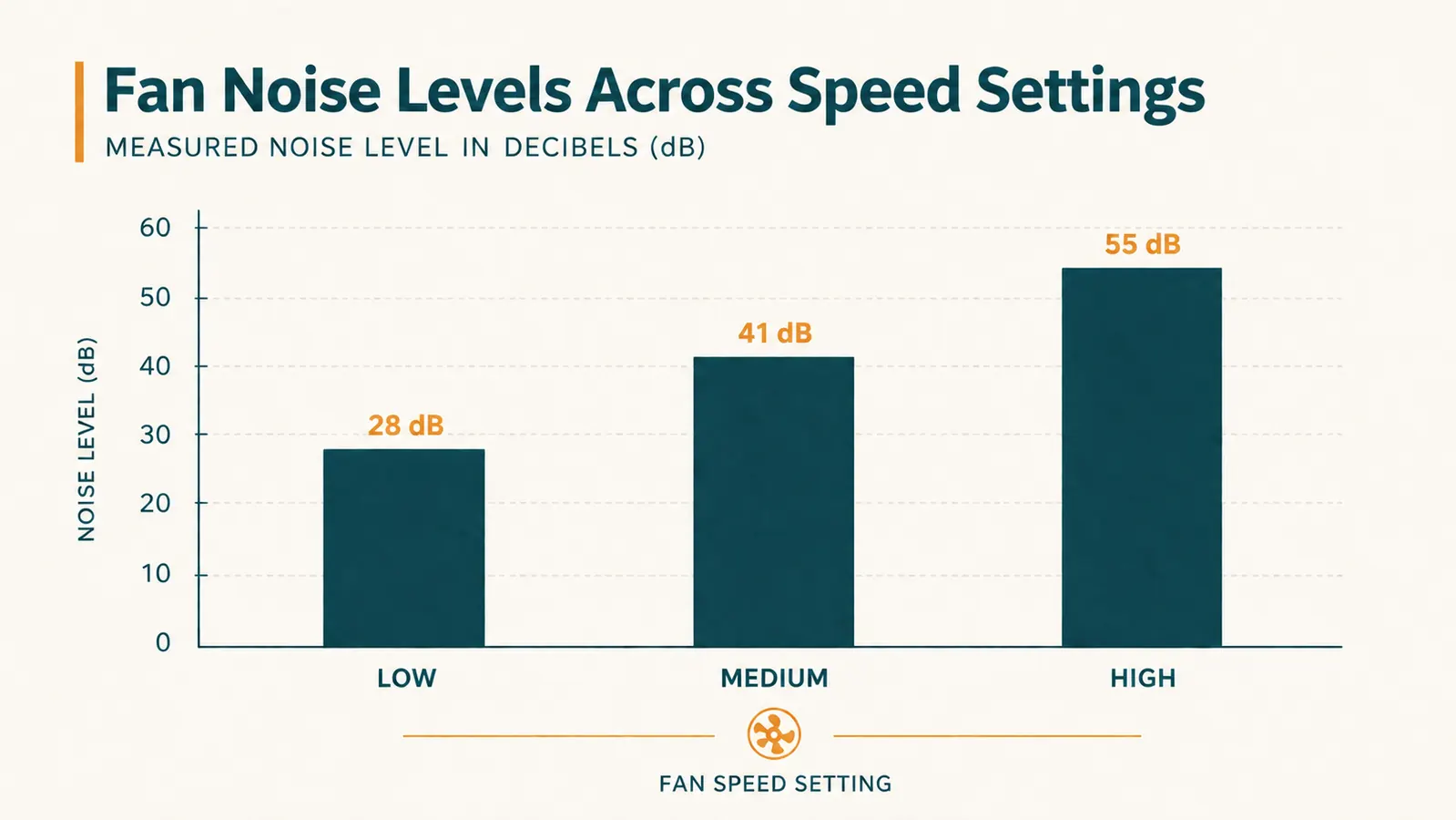
The listing advertises three speeds like they're all equally useful, and in my experience that's not really true. Low is close to silent and genuinely pleasant for background airflow. High is loud enough to notice and strong enough to actually move papers around if they're not weighted down, useful on the worst days but not something you leave running during a call. Medium, the setting I assumed would be my daily driver, turned out to be the one I use the least. It's loud enough to introduce a steady hum that shows up on a sensitive microphone, but it doesn't move noticeably more air than low in a way that justifies the extra noise. Most days I skip straight from low to high depending on how hot it actually is, and medium sits there as a setting that exists mostly on paper.
That's a small thing, but it matters if you're buying this specifically because the listing promises three distinct comfort levels. In practice you're really choosing between quiet and strong, with a middle option that splits the difference in a way that rarely feels worth choosing on its own.
The Dust Situation Is Real
This one genuinely caught me off guard. Small fans pull in air constantly, and constant airflow means constant dust collection, especially around the motor housing and along the blade edges where you can't easily wipe it clean without popping the grille off. I didn't think about this at all before buying it, because no review I read beforehand mentioned needing any kind of maintenance for a nine dollar fan. About six weeks in, I noticed the airflow felt slightly weaker than when it was new, and when I finally popped the front grille off to look, there was a visible gray buildup coating the blades.
A quick wipe with a dry microfiber cloth fixed it completely, and the airflow was back to full strength within a minute of cleaning. It's not a hard fix, but it is a maintenance step that nobody puts on the box, and if you're the type who buys a cheap gadget and never thinks about it again, this is the one that will quietly get weaker over months without you realizing why. I now do a thirty second wipe down on the first of every month, and it's kept the fan performing like new the whole time I've had it.
One more thing worth mentioning while we're on the subject of maintenance nobody warns you about. If you're anywhere near a kitchen, a garage, or a workshop, cooking grease or sawdust in the air will build up on the blades faster than plain household dust does, and it gets stickier, which makes the wipe down take longer than the usual thirty seconds. I learned this after a weekend of woodworking in the same room as my desk left a thin film on the grille that took an actual damp cloth and a little patience to fully clear, instead of the quick dry wipe that normally does the job.
What the Listing Photos Don't Show You About Placement
The product photos all show the fan sitting neatly on an open desk with nothing around it, which is not how most home offices actually look. In my setup, the fan competes for USB port space with a webcam, a desk light, and a headset dongle, and figuring out where to actually plug it in took some trial and error. Plugging it into a laptop's own USB port worked but drained battery noticeably faster on days I wasn't near an outlet. Running it through a powered hub solved that but meant one more cable snaking across the desk that I had to route carefully so it didn't catch on anything when I moved. None of that stops me from recommending the JZCreater fan, but you should know what you are actually buying.
The other placement issue is proximity. Because the airflow cone is narrow, you genuinely need this fan close, within about a foot and a half of your face or hands, for it to do much of anything. Set it back near your monitor for a tidier look and you'll barely feel it running. That's not a flaw exactly, but it's a real constraint on where it can live on your desk, and it's not something the clean, spacious product photos prepare you for.
How It's Held Up Compared to What I Expected
I went in expecting a nine dollar fan to feel disposable, something I'd replace within a couple months once the novelty wore off or the motor started sounding rough. That hasn't happened. The motor sound is identical to the day I opened the box, no new rattles, no burning smell, no noticeable drop in airflow strength once I started cleaning it regularly. The plastic has taken a few scuffs from the tip overs mentioned earlier, but nothing structural. If anything, it's outlasted my expectations for a product at this price point, and that's worth saying plainly since it would have been easy for a fan this cheap to start failing within weeks.
Where it hasn't held up as well is the toggle switch on the back. It's a simple mechanical switch, and after months of daily use flipping between speeds, it's developed a slightly looser click than it had when new. It still works every time, but there's a bit more play in it now, and if I had to guess, that switch is the first part likely to fail down the road, well before the motor itself gives out.
What I Liked
- Genuinely quiet on low, safe to run through calls without anyone noticing
- Survived repeated accidental tip overs with zero cracking or damage
- USB power means it works from a laptop port, hub, or wall adapter interchangeably
- Cheap enough that the wobble and dust issues still don't make it a bad purchase
- Airflow fully restores with a simple monthly wipe down, no replacement parts needed
Where It Falls Short
- Light base means it tips over easily if bumped or if the cable gets tension on it
- Medium speed setting adds noticeable hum without much airflow benefit over low
- Collects dust inside the grille faster than most people expect, needs regular cleaning
- Narrow airflow cone means it has to sit uncomfortably close to actually help
- Toggle switch shows early signs of wear before any other part of the fan does
Nobody tells you a nine dollar fan needs monthly maintenance and a strip of mounting putty to stay useful. It does, and once you know that, it's still worth the money.
What the One Star Reviews Actually Get Wrong
Scroll down to the one and two star reviews on the listing and you'll see a pattern. A good chunk of them are people complaining the fan doesn't cool a whole room, or that it stopped working within days, which in my experience usually traces back to a loose USB connection rather than a dead motor. I had that exact scare in my second week, the fan seemed to die completely, no spin at all, and I nearly wrote it off as bad luck. Turned out the USB cable had worked its way slightly out of the port from all the tilting and repositioning, and reseating it fixed the problem instantly. It's worth checking before you assume the unit itself has failed, because a surprising number of the worst reviews online are describing a connection issue, not a hardware one.
The other common complaint, that it's not strong enough, almost always comes from someone who expected this to function like a box fan or a room fan. It was never built for that job, and judging it against that standard isn't really fair to the product or useful to someone trying to decide if it fits their desk. Once you separate out the reviews describing a loose cable from the reviews describing a mismatched expectation, the actual failure rate for the fan itself looks a lot smaller than the star rating breakdown might suggest at first glance.
Who This Is For
This fan makes the most sense for someone who wants a cheap, no fuss way to stay comfortable at one specific spot, their own desk chair, and who doesn't mind a small amount of upkeep in exchange for a low price. It's a good fit if you're willing to babysit it a little, wipe it down occasionally, and give it a stable spot on the desk where a stray cable tug or an errant elbow won't send it toppling. If you go in with realistic expectations about what a nine dollar personal fan can and can't do, it earns its spot.
Who Should Skip It
Skip this one if you want a truly set it and forget it product with zero maintenance, because the dust buildup and the occasional tip over mean it does ask a little of you over time. It's also not the right choice if your desk is genuinely cramped and can't spare a stable, protected spot for something this top heavy relative to its base, or if you record audio in a way where even the medium speed hum would be a dealbreaker. If any of that sounds like a hassle rather than a minor tradeoff, a slightly pricier fan with a wider base and a quieter mid setting is probably the better fit for you.
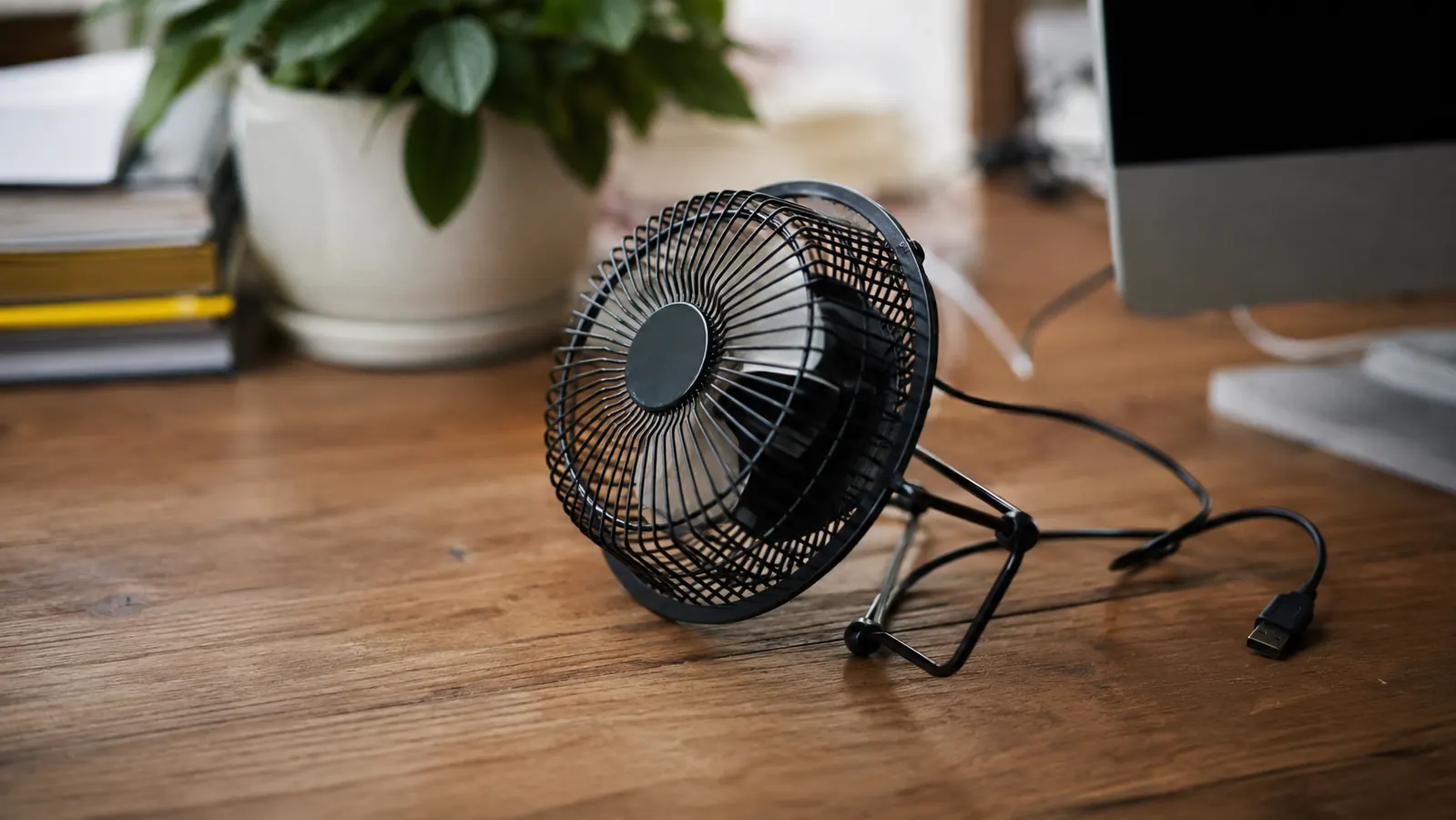
Now you know what the five star reviews leave out. Here's the fan itself.
The wobble, the dust, the so-so medium speed, all real, and all still worth nine dollars for direct desk cooling that actually works when you clean it and give it a stable spot.
Amazon Check Today's Price on Amazon →