

For two years I ran every client call, every stand-up meeting, and every recorded training session straight off my laptop's built in microphone. It was fine, until it wasn't. Someone would ask me to repeat myself, or mute me by accident thinking I was still talking because of the echo, and I'd tell myself it was a fluke. It wasn't a fluke. It was the mic. The day I plugged in a twenty four dollar Logitech H390 wired headset, the difference was immediate enough that I felt a little embarrassed I'd waited so long.
I'm Ray Colton. I've worked from a home office for longer than I care to admit, and I've tested more desk gear than most people will touch in a lifetime. This isn't a list of theoretical benefits. These are the ten things that actually changed once I stopped trusting a laptop lid to carry my voice across a Zoom call. That is the short version of why the Logitech H390 replaced my laptop mic for good.
Stop Making People Say 'Can You Repeat That?'
The H390 is the cheapest fix I've found for the single most common complaint on remote work calls: audio nobody can understand. It's under twenty five dollars and it plugs into any USB port.
Amazon Check Today's Price on Amazon →The Microphone Is Actually Close to Your Mouth
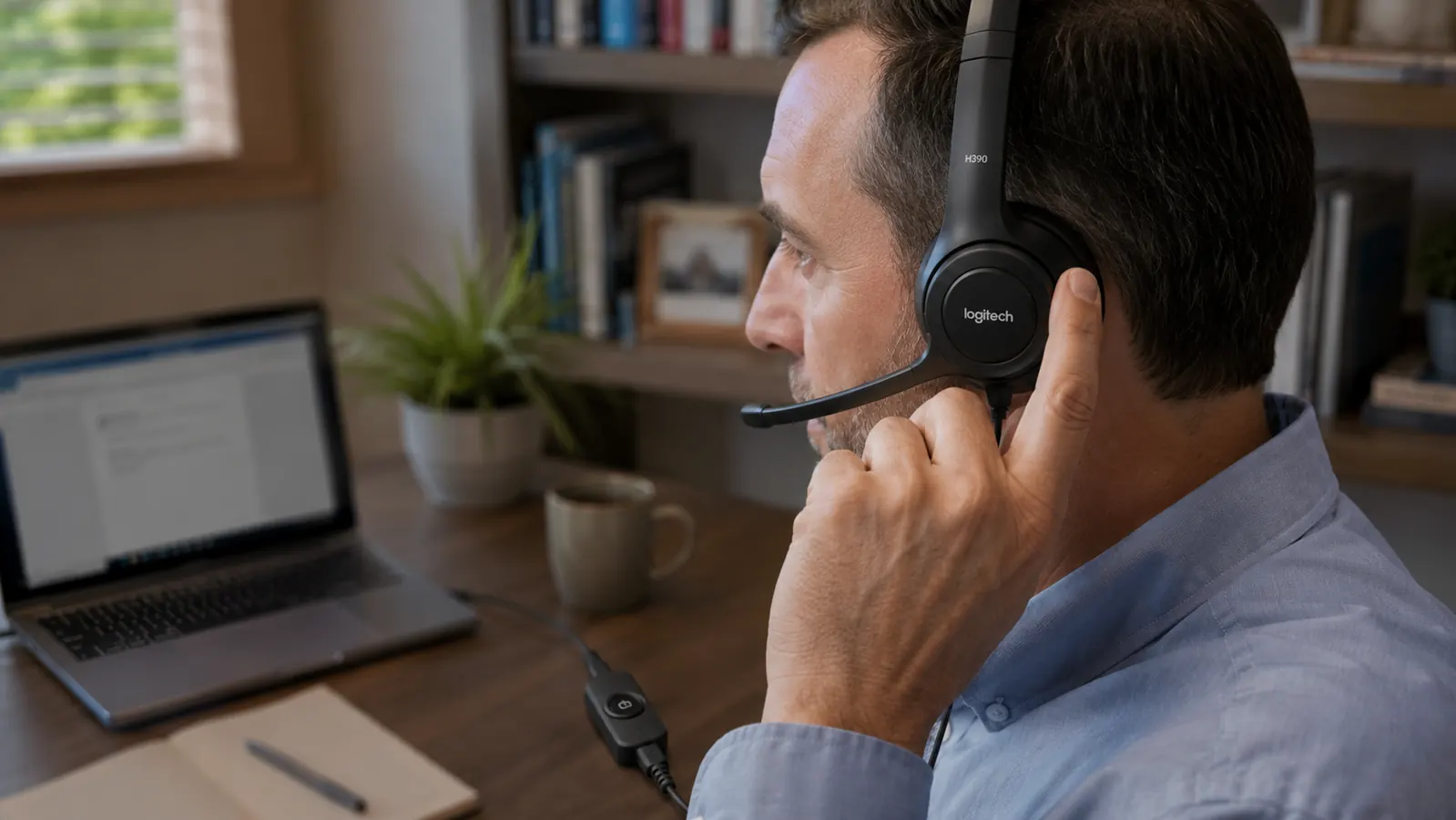
A laptop mic sits below your chin, aimed at your keyboard, usually eight to fourteen inches away depending on your screen angle. A headset boom mic sits two inches from the corner of your mouth. That distance is the whole game. Sound drops off fast over distance, so every inch you close makes the signal stronger relative to the room noise around it. I didn't change anything else about my setup and the difference in playback was obvious within the first call.
It Stops Picking Up Your Keyboard
I type loud. Mechanical keys, heavy fingers, the works. On laptop mic calls, people used to ask if I was in a call center. With the H390's boom mic pointed away from the keys and close to my mouth, typing while talking stopped being a problem. The mic simply isn't aimed at the noise source anymore.
Background Noise Gets Filtered, Not Amplified
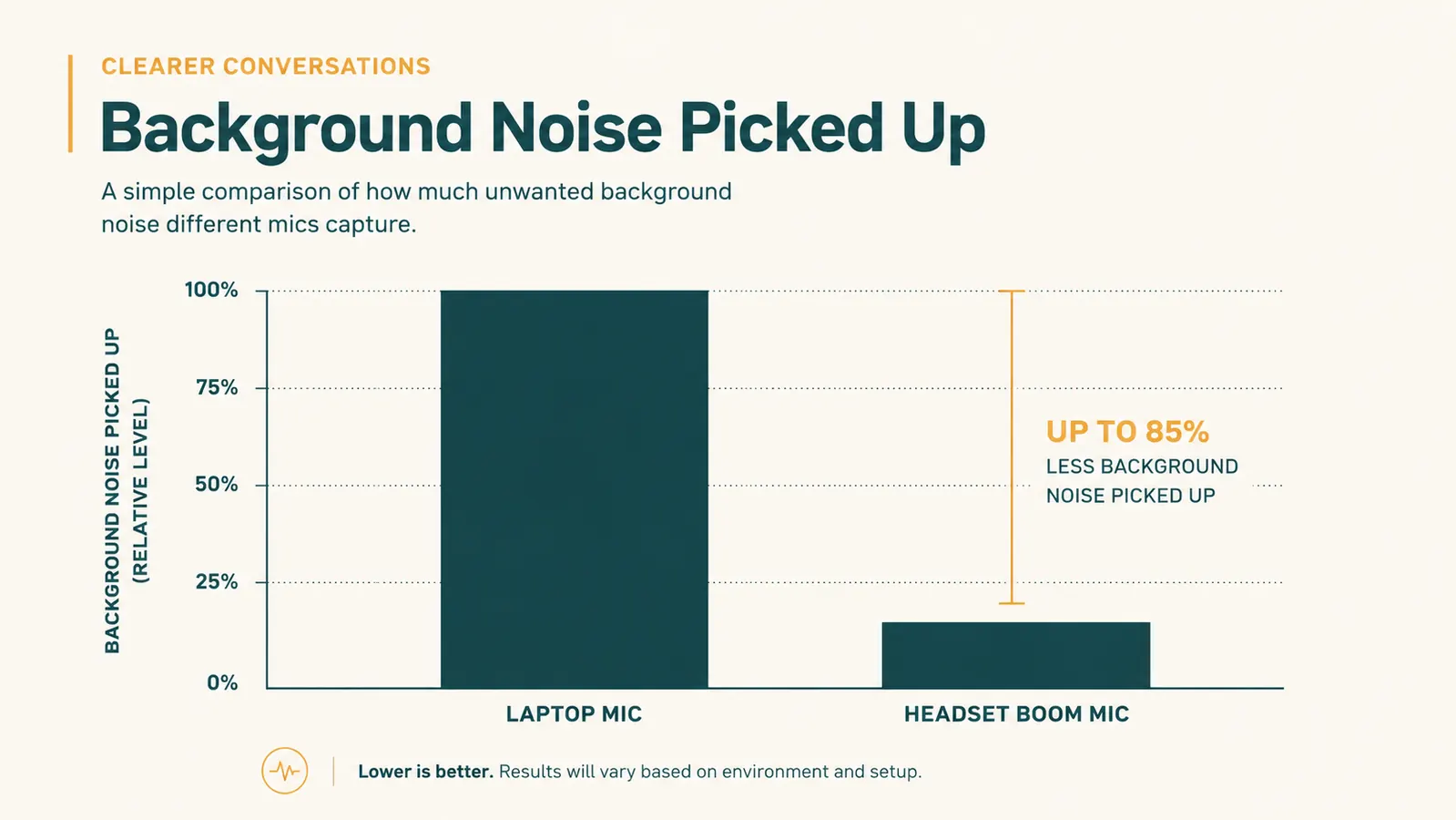
Laptop mics are omnidirectional by design because they have to pick up a whole room for voice assistants and video recording. That means your dog barking, a delivery truck outside, or your kid walking in all get boosted right alongside your voice. A dedicated headset mic with noise cancelling is built to reject exactly that kind of ambient sound. My dog Otis still barks at the mail carrier every single day. Nobody on my calls has noticed in over a year of using the H390.
Your Voice Stops Bouncing Around the Room
This one surprised me. A laptop mic picks up not just your voice directly, but the echo of your voice off your walls, desk, and monitor. That's what gives laptop audio that hollow, tin can quality. A headset mic close to your mouth picks up mostly direct sound, so the echo effect nearly disappears. I have a mostly bare home office with hard walls, which used to make me sound like I was talking inside a mailbox. That went away the day I switched.
You Can Actually Hear the Other Person Clearly Too
This is the half of the equation people forget. A wired headset isn't just a better mic, it's better speakers pressed right against your ears instead of tinny laptop speakers bouncing sound off your desk. On calls with soft talkers or bad connections, I used to lean toward my screen to catch what someone said. I don't do that anymore. The audio comes straight into my ears at a level I control with the in-line volume wheel.
One Cable Means One Less Thing to Troubleshoot
I know wireless sounds more convenient on paper. In practice, Bluetooth headsets drop pairing, run out of battery mid meeting, or lag half a second behind video, which is worse than it sounds on a call where timing matters. A wired USB headset like the H390 has exactly one point of failure: is it plugged in. That's the whole troubleshooting checklist. On a day when I have back to back calls, I don't want to think about battery percentage at all.
The Mute Button Is Right There on the Cord
Laptop mute usually means hunting for a small icon on screen or memorizing a keyboard shortcut, and doing it fast enough to cut off a cough or a phone ringing in the background. The H390 has in-line controls on the cord itself, mute and volume, within reach without looking down. I've muted a sudden sneeze faster with that inline button than I ever did clicking a mute icon on a video call window.

It Works the Same on Every Laptop You Own
Built in mic quality varies wildly between laptop models, and it gets worse as your laptop ages and the internals pick up more dust and interference. A USB headset sounds the same whether you're on a five year old laptop or a brand new one, because the microphone hardware isn't tied to the machine. When my old laptop finally died, my audio setup didn't change at all. I just plugged the same headset into the new one.
Amazon Keep the same reliable audio through every laptop upgrade →
It Signals You're Serious, Even on a Casual Call
There's a subtle perception shift when you show up to a client call or an interview wearing a real headset instead of leaning toward a laptop screen. It reads as someone who takes the call seriously and has a real setup, not someone dialing in from a coffee shop table. I've had new clients comment on how clear I sounded on our first call, which is a strange thing to get complimented on, but it happens.
It Costs Less Than a Single Billable Hour
At twenty four dollars, the H390 costs less than most people bill for a single hour of work, and it fixes a problem that repeats every single day you're on a call. I think about it as the cheapest professionalism upgrade in my whole office. Compare that to a bad Bluetooth headset in the seventy to a hundred dollar range that still might lag or die mid call, and the math gets even easier.
What I'd Skip
I'd skip AI noise cancelling apps as your only fix. They can help, but they're software patching over a hardware problem, and they add CPU load to a laptop that's already running your video call software. I'd also skip cheap unbranded wired headsets in the bottom price tier. I tried two of them before landing on the H390, and both had mic static that showed up the moment I raised my voice even slightly. Spend a bit more for a known brand with in-line controls. It's still a small amount of money for something you'll use every workday.
Nobody has ever complimented me on my laptop's built in microphone. Multiple people have complimented me on how clear I sound since I stopped using it.
Twenty Four Dollars to Stop Sounding Like You're in a Tunnel
If you're on more than one call a week, a dedicated wired headset pays for itself the first time it saves you from repeating yourself. The Logitech H390 is the one I've used daily for over a year.
Amazon Check Today's Price on Amazon →